Informazioni su Sia Desktop Pet
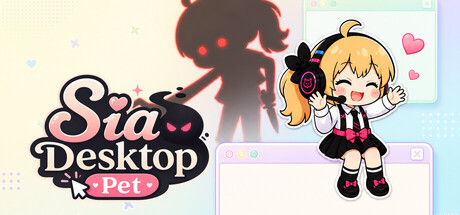
She lives on your desktop, not in a window
Sia sits on top of everything you do. She walks the edge of your screen, naps while you work, reacts when you drag her, and pipes up when you have been at it too long. No launcher to open, no window to keep in focus — she is just there.
She opens up slowly
You start with petting and feeding. Bonding raises her affinity level, and each level hands you something new — a shop item, a play mode, a reason to come back. Nothing is unlocked on day one.
- Battles — clear stages, meet bosses, spend the gems you earn
- Soccer — flick the ball, she chases it across your desktop
- Fishing — a 24-species dex to fill, with rarities that make you wait
- Tarot — a daily draw with a reading in her own voice
- Weather briefing — she tells you what today looks like outside
- Diary — she writes about what the two of you did
- Studio — upgrade her broadcast setup, tier by tier
- Wardrobe — 11 outfits, some seasonal and only buyable in season
26 achievements that ask for real play
Not a checklist you finish in an afternoon. Reaching affinity Lv.15, collecting every outfit, maxing the studio, filling the fish dex — these are the long ones. Steam Cloud keeps your save across machines.Eight languages
Korean, English, Japanese, Simplified and Traditional Chinese, Russian, Spanish, Portuguese. Every one of Sia's lines is translated, not just the menus. There is no voice acting — she talks in text.Yandere mode — read this before you buy it
An optional mode you unlock in the shop, with each ability bought and toggled separately. When it is on, Sia gets possessive: she throws knives, cracks your screen, and shows fake system notifications and error windows. The fake alerts and error windows are drawings Sia paints, not real system dialogs. The window and cursor abilities, though, are real — she will shove your open windows aside and cage your cursor for a few seconds. She never touches your files or settings, every ability is bought and toggled separately, and the screen-filling effects have their own switch in Settings. If that kind of joke is not for you, leave the mode locked. The game plays fine without it.
What she reads from the internet
The weather briefing needs to know roughly where you are. It looks that up from your IP address and asks a public weather service — no account, no login, no personal data stored on our side. Turn the briefing off and she stops asking.

 Non ancora uscito