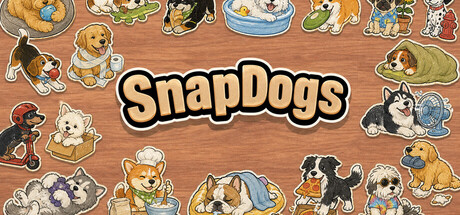
100 cute and funny dog-scene stickers are waiting for you to find clues, sort the table, and snap them together. Snap, woof, and fill the whole table with dogs.
SnapDogs 在线人数与 Steam 图表
实时
在线人数—24 小时 —
24 小时峰值玩家0今日最高样本
30 天峰值玩家0平均 —
历史峰值玩家0自开始追踪以来
30 天游玩时长—估算值
Steam 图表 · 30 天在线人数等待采样
正在收集每日样本尚未存储该游戏的每日样本。积累最初几天的历史数据后,曲线就会出现。
24 小时—7 天—趋势持平
评测0 篇评测
—No user reviews
0 篇好评0 篇差评
推荐数—
媒体
5 张图片
游戏详情
关于这款游戏
游戏
发行日期2026年9月24 天前发行
开发者Catnip studio发行商Catnip studio类型独立休闲
—成就—DLC5070620
关于这款游戏
玩家数更新于 — · 商店数据更新于 9月23日 01:50 UTC · 来源:SteamWebAPI
SnapDogs is a cozy dog sticker jigsaw game.
There are 100 cute and funny little dog scenes: stealing sushi, hiding in boxes, climbing into a fish tank, napping lazily, and more. Sticker pieces are scattered across the table, waiting for you to put them back together.
Look for clues in each dog's pose and scene, organize the table, and place each piece where it belongs. When the position is right, the sticker snaps together with a satisfying little sound. Piece by piece, the whole table fills with charming dogs.
[h2]Features[/h2]
[list]
[*]100 dog-scene sticker puzzles, each made from 2 to 5 pieces
[*]100 Steam achievements, one for each dog sticker
[*]Freely arrange completed dog stickers after finishing a level
[*]Hide the UI and take photos of your finished dog-sticker table
[*]Relaxing music, soft sound effects, and plenty of dog barks and happy pants
[/list]
[h2]How to Play[/h2]
Move sticker pieces around the table and place them in the right spots. Right-click to rotate the piece or group you are holding. Correctly matched pieces become one object, then can connect with other pieces or groups until the full dog sticker is complete.
As levels progress, more dogs and pieces will appear on the table. You can zoom, pan the table, and box-select multiple pieces to search and organize more comfortably.
If you cannot find unfinished pieces, use the hint function to briefly highlight them.
[h2]Controls[/h2]
[list]
[*]Left mouse button: pick up, drag, drop pieces, and click buttons
[*]Right mouse button: rotate the held piece or group
[*]Mouse wheel: zoom the table
[*]Middle mouse button / Space: pan the table
[*]F: reset the table view
[*]Esc: hide or show the game UI
[*]H: highlight unfinished pieces
[/list]

 未发行
未发行