关于 Cutie Office
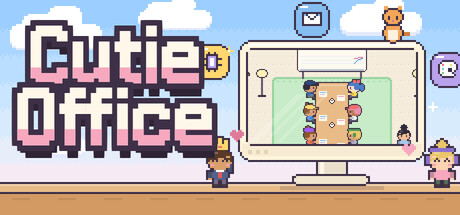
Cutie Office turns your PC into a tiny pixel company, live.
Every CPU core is an employee typing at a desk. Every program you open walks in through the front door. Your memory fills the archive, your graphics card paints in the design studio, and when your computer goes quiet, the office cat curls up for a nap.
It isn't a simulation of a computer. It is your computer, just much cuter.
- CPU → Compute Dept. One employee per core. The busier the core, the faster they type, until they sweat and steam. Idle cores nap on their keyboards.
- Programs → Staff. Launch an app and it clocks in; close it and it heads home. Busy apps work at the meeting table; idle ones relax on the sofa, play ping-pong or grab a coffee.
- Memory → Rank. The more memory a program uses, the higher it climbs, from Intern all the way to Director.
- Your active window presents to the boss at the whiteboard.
- RAM fills the archive shelves with binders.
- GPU designers paint as hard as your graphics card works, and nap when a discrete GPU goes to sleep.
- Disks are a busy warehouse with a forklift, and network traffic is a flurry of envelopes in the mail room.
- Battery is the pantry coffee pot. Plug in the charger and it starts brewing.
- Sound: every speaker, headset and audio interface gets its own unit in the lounge sound rack, and the woofer thumps whenever something plays.
- Data on the move: boxes come up from the warehouse through the archive's service window, a clerk carries folders to the busy desks, and capsules whoosh through a pneumatic tube to the design studio. When memory fills up, the overflow is stored away in the warehouse.
Minimize Cutie Office and a tiny office docks at the bottom of your screen, so your staff keep working right on your desktop while you do. Want it bigger? Mini mode and Always-on-top have you covered. Close the window and the office keeps running in the system tray, or quits completely: you decide. In the dock your staff share little moments too: high fives, light-bulb ideas, coffee breaks and parcels landing right in their hands.
Poke an employee and they jump in surprise. Keep poking and they grumble, get angry, and finally storm off to sulk. Pick them up and toss them across the office: they bounce, get dizzy and wander back to their desk. It works in the mini dock too, and HR is keeping count…
Switch on the desktop buddy (Settings → Window) and the employee of the program you're using comes out on top of its window. They perch on the title bar, ride along when you drag the window, and nap when things are quiet. You can pick them up and throw them, too. Clicks go straight through to your window, they hide in full screen, and any employee can be sent back to the office with one click.
- A live view of your real PC: CPU, memory, GPU, disks, network, audio devices, battery and temperature
- Made for every PC, from thin laptops to 128-thread workstations with drives from C: to Z:, several GPUs and racks of audio interfaces
- Every program keeps a work record and levels up its career; colleagues cheer when someone levels up, and staff who work too long get tired and head for coffee
- Your staff earn performance points as they work: spend them on 10 decorations (aquarium, cat tower, arcade, gallery, golden lucky cat…)
- A daily work report with the MVP of the day, and the employee of the week framed in the CEO's office
- Click any employee or room for a detail card with live graphs
- A sky and lighting that follow your real time of day
- Cute, quiet sound effects, a pixel-art cursor and bouncy buttons, with optional office-life sounds (typing, coffee sips, yawns)
- A work log of every clock-in, clock-out and office incident
- 39 Steam Achievements, all earnable on any PC just by using it: quick wins for day one, and long-haul goals for the dedicated
- Name your own company and CEO
- Streamer mode hides window titles and your PC's name
- English and Korean
Cutie Office reads your PC's activity locally, using standard Windows performance counters. It sends nothing anywhere and needs no internet connection.

 未发行
未发行