Sobre 节日烟花模拟器
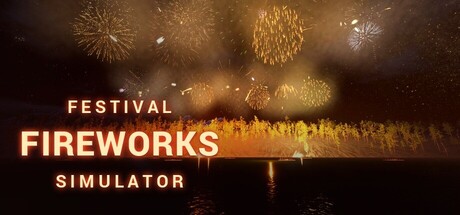
Let the night sky put on a show for you. Willows drift down over the water, chrysanthemums open wide above the rooftops and glitter crackles in the dark. Leave the automatic display playing, add your own burst with a click, write someone a wish, or build a show of your own.Click the sky
Click the night sky and a firework bursts where you point. Press Space to call a finale. The flash comes first and the boom follows, later the farther away the burst is.
Write a wish
Turn a name, a date or a birthday greeting into fireworks. Use letters, numbers, Chinese characters and around a hundred emoji, including hearts, cakes and lanterns.
Arrange your own show
Place launch pads, choose shells and sizes, and fill the timeline with fans, sweeps and other patterns. Play it back, adjust the timing and save your show. Share it with a code or publish it on the Steam Workshop; subscribe to other players' shows when you want someone else to set the programme.
Every hour, a bigger sky
A larger display begins on the hour, and midnight brings the biggest one. Shows follow your computer's local clock. Call a finale yourself whenever you want one.
For the day that matters
New Year's Eve brings a countdown, a greeting and the new year's number in the sky. Lunar New Year, Christmas, Valentine's Day, Halloween and other holidays add their own wishes and emoji. Enter your birthday in the settings and the show celebrates it when the date comes around.
Places and special nights
Watch over a quiet lake, a Tokyo street, desert dunes, a hillside overlooking Kyoto, a lantern-lit temple fair or a palm-lined beach. Every base scene is available from the start.
Spend time watching, see an hourly show or return on particular dates to discover special nights: moonlight over the lake, rain and snow in Tokyo, falling leaves above Kyoto, sky lanterns rising over the temple and more. Once discovered, a special night stays in your collection to choose again.
Keep it beside you
Let the automatic tour change scenes for you. Companion mode lowers the volume. On Windows and macOS, desktop mode puts the show behind your desktop icons and plays silently while you use your desktop. Press H in the normal viewing mode to hide the interface, then press it again to bring the controls back.Keep a moment
Freeze a burst in photo mode, move the camera and save the picture. Outside photo mode, choose from four camera views, including a flight through the fireworks.
- Dozens of kinds of fireworks: peonies, willows, palms, crackle, saturn rings and more
- Watch an automatic show or join in with clicks, text and your own choreography
- Night scenes from lakeside to city street, plus special nights to discover
- Holiday wishes and birthday greetings on your computer's calendar
- Share codes and Steam Workshop shows
- Photo mode, a clean view and desktop wallpaper mode
Add Festival Fireworks Simulator to your wishlist for your next fireworks night.

 Não lançado