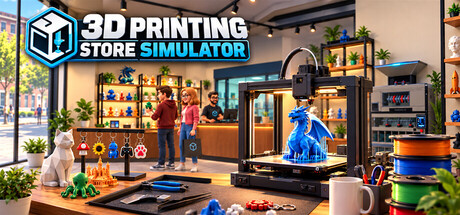
Build and manage your own 3D printing store. Print products, manage filament and inventory, create multicolor prints, assemble finished items, set prices, serve customers, recycle waste, and expand your workshop with better equipment.
3D Printing Store Simulator : nombre de joueurs et Steam charts
en direct
Nombre de joueurs
—
— sur 24 h
Pic de joueurs 24 h0Mesure la plus haute du jour
Pic de joueurs 30 j0Moy. —
Record de joueurs0Depuis le début du suivi
Heures jouées 30 j—Estimation
Steam chart · joueurs sur 30 jen attente de mesures
Collecte des mesures quotidiennesAucune mesure quotidienne n'est encore enregistrée pour ce jeu. La courbe apparaîtra dès que les premiers jours d'historique seront disponibles.
24 heures—7 jours—TendanceStable
Évaluations0 évaluations
—No user reviews
0 positives0 négatives
Recommandations—Note0/9
30 derniers joursaucune donnéePart négative—Pos. par nég.—
Build Your Own 3D Printing Business
Turn an empty shop into a growing 3D printing business in 3D Printing Store Simulator.
Choose what to print, manage your filament, organize your shelves, set your prices, and keep your store stocked as customers arrive looking for the right products. Start small and gradually expand your production capabilities with better equipment and more advanced products.
Print Your Products
Your products don't simply appear in stock — you make them.
Load filament into your 3D printers, choose a model, select the quantity, and start printing. Different products require different amounts of filament depending on their size and geometry, so every print has a real material cost.
Produce a growing range of products in different sizes, from small decorative items to large, high-value prints.
Master Multicolor Printing
Advanced printers support multicolor production using multiple filament spools.
Some products require two, three, or even four different colors. Make sure the correct filament colors are loaded and that each spool has enough material before starting the job.
Every color used in a print consumes filament individually, making filament selection and stock management an important part of your production process.
Assemble Finished Products
Not every product is ready to sell when it leaves the printer.
Print keychains, move them to your assembly workbench, add the required hardware, and finish them using your tools. Once assembled, organize the finished products on dedicated display stands and prepare them for sale.
Printing is only the beginning of the production process.
Manage Your Store
Decide how your store operates.
Arrange shelves and equipment, organize products, manage inventory, and set your own selling prices. Keep an eye on production costs and make sure popular products stay in stock.
Customers have different product preferences, color preferences, and budgets, so a well-stocked and varied store gives you more opportunities to make a sale.
Complete Special Orders
Some customers want something specific.
Take on special orders, produce the requested item, and prepare it for the customer. Special orders give you another reason to manage production capacity alongside your regular store inventory.
Turn Waste Back Into Material
3D printing creates waste — but it doesn't have to stay waste.
Collect leftover printing material and failed or discarded plastic in your waste system, then process it using recycling equipment. Recover useful material and make waste management part of your production strategy.
Expand Your Workshop
As your business grows, expand your store and workshop with new equipment, production areas, storage, displays, and more advanced 3D printers.
Move from simple single-color production to more capable printing and assembly workflows as your shop becomes a larger 3D printing business.
From Filament to Finished Product
In 3D Printing Store Simulator, you control the entire process:
Order supplies → Load filament → Print → Assemble → Stock → Price → Sell → Recycle → Expand
Build the store your way and turn rolls of filament into a successful business.
Joueurs mis à jour : — · données du magasin : 10 oct., 07:15 UTC · source : SteamWebAPI
Steam n'affiche actuellement aucun prix pour 3D Printing Store Simulator.
3D Printing Store Simulator n'est pas encore sorti. Aucune date n'a été annoncée.
Configuration minimale : Windows 10 64-bit, Intel Core i5-8400 / AMD Ryzen 5 2600, GTX 1060 6 GB / RX 580 8 GB, 8 GB RAM. La fiche ci-dessus compare les configurations minimale et recommandée pour chaque plateforme.
Steam indique 5 GB d'espace disque disponible pour 3D Printing Store Simulator.
Ce jeu n'a encore aucune évaluation sur Steam.
Oui — 3D Printing Store Simulator propose l'interface et les sous-titres en français, mais sans doublage audio complet. Au total, Steam répertorie 5 langues, dont aucune avec audio complet.
Non — Steam répertorie 3D Printing Store Simulator comme un jeu solo.
Les Steam charts du jeu 3D Printing Store Simulator sur SteamStatistics affichent le nombre de joueurs en direct et les courbes sur 24 heures, 7 jours et 30 jours, actualisées au moins toutes les dix minutes.Ouvrir les Steam charts du jeu 3D Printing Store Simulator ›
Sur Steam, 3D Printing Store Simulator fonctionne sous Windows. Aucune prise en charge des manettes indiquée.

 Pas encore sorti