In this Motion Control party game, turn volleyball into an act of defiance! Seize your Joy-Cons, dodge powerful attacks, and coordinate with your duo to defeat the "Anti-Fun" police. This game was created by students from the video game school ISART Digital as part of their final-year project.
Kerätään päivittäisiä mittauksiaTälle pelille ei ole vielä tallennettu päivittäisiä mittauksia. Käyrä tulee näkyviin, kun ensimmäisten päivien historia on kerätty.
Kinetic TwinZ is a student-made game created in around 40 days by ISART Digital students as part of their final-year project, giving them the opportunity to put their skills and learning into practice. We hope you enjoy the experience they have created for you!
-------------
Play together in local co-op using Joy-Cons and motion controls, where every movement matters.
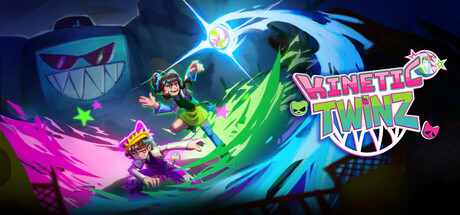
In an abandoned gym, turn volleyball into a revolution as rebellious twins: Smash, pass, dodge, and coordinate your actions to survive your encounter with the anti-fun police and push back against a world that wants to shut down fun... forever.
The goal ? Defeat the ANTI-FUN POLICE
In a world where fun is forbidden, play the role of two rebellious teens who are determined to have a good time.
And how to do that, you might ask?
Passing the ball between both player charges it up! A fully charged ball will deal MAXIMUM damage to the boss!
Smash TOGETHER for a brilliant finish!
Set-up
Kinetic TwinZ requires Nintendo Switch Joy-Cons to play. The ideal experience uses the Switch's motion controls, but accessibility options are available for those who can't!
The initial set-up can be a little finicky, but the following advice should take you through any issues you might encounter:
On Windows:
- Open Settings > Bluetooth & devices
- Toggle Bluetooth on
If you have previously connected Joy-Cons:
- Click on each Joy-con: (L) and (R)
- Click "Remove"
This step is vital, as it is impossible to automatically or re-connect a disconnected Joy-Con on Windows.
Turn on your Joy-cons:
- Press and hold the small, circular black button located in between SL and SR.
After 3 seconds the lights should start to flicker.
On Windows:
- Add Device > Bluetooth > Joy-Con (L) and Joy-Con (R) individually
- Open Steam
- Click "Play"!
The whole team wishes you the best experience playing Kinetic TwinZ.
Frequently Asked Questions
I'm having connection issues, lag or the motion controls aren't working
- You might be too far away from your PC. Distance can cause lag or disconnection of Nintendo Switch Joy-Cons.
- Disconnecting and reconnecting your Joy-Cons tends to fix most issues. We recommend updating your Bluetooth drivers for the smoothest experience.
Can I play with Nintendo Switch 2 Joy-Cons?
- Sadly, no. Nintendo Switch 2 Joy-Cons won't connect to a PC via Bluetooth, contrary to the first generation Joy-Cons. If this becomes possible we would love to ensure compatibility!
I don't have Joy-Cons. Can I play with a keyboard?
- Technically it is possible to replace two Joy-Cons with a keyboard and a controller. We don't recommend you play like this, but if you want to experience Kinetic TwinZ and don't have any Joy-Cons, you can! Please note that the pictogrammes and other in-game signs will not reflect this.
Pelaajat päivitetty 18.9. klo 23.13 UTC · kauppatiedot 22.9. klo 11.54 UTC · lähde: SteamWebAPI
Kinetic TwinZ julkaistiin 25. kesäkuuta 2026. Kehittäjä: ISART DIGITAL. Julkaistu 3 kuukautta sitten.
Vähimmäisvaatimukset: Windows 11, Intel I5 13eme Gen, Nvidia GTX 1050 ti, 8 GB RAM. Yllä oleva vaatimuskortti vertailee vähimmäis- ja suositeltuja vaatimuksia jokaiselle alustalle.
Steamin mukaan Kinetic TwinZ vaatii 5 GB vapaata levytilaa.
4 Steam-arvostelusta 75,0% on myönteisiä — Steamin luokitus on ”4 user reviews”.
Ei — Steam ei listaa pelille Kinetic TwinZ suomen kieltä. Kaikkiaan Steam listaa 2 kieltä, joista 2 täydellä ääniraidalla.
Kyllä — Steam listaa pelille Kinetic TwinZ seuraavat pelitilat: verkkoyhteistyö ja jaettu ruutu.
Pelin Kinetic TwinZ Steam-kaaviot sivustolla SteamStatistics näyttävät reaaliaikaisen pelaajamäärän sekä 24 tunnin, 7 päivän ja 30 päivän käyrät, ja ne päivittyvät vähintään kymmenen minuutin välein.Avaa pelin Kinetic TwinZ Steam-kaaviot ›
Steamissa Kinetic TwinZ toimii alustoilla Windows. Täysi ohjaintuki.

 IlmaispeliSija #118698