A chaotic 1–4 player chest-heist party game. Steal treasure from your friends, hide your loot, build defenses, and race to be the first to secure 5 chests.
Jugadores de Nori Game y Steam charts
en vivo
Jugadores0— en 24 h
Pico 24 h0Muestra más alta de hoy
Pico 30 días0Prom. —
Pico histórico0Desde el inicio del seguimiento
Horas jugadas 30 días—Estimado
Steam chart · jugadores 30 díasesperando muestras
Recopilando muestras diariasTodavía no hay muestras diarias guardadas para este juego. La curva aparecerá cuando lleguen los primeros días de historial.
24 horas—7 días—TendenciaEstable
Reseñas11 reseñas
90,9%Positive
10 positivas1 negativas
Recomendaciones—
Multimedia
10 imágenes
Detalles del juego
Acerca del juego
Juego
Fecha de lanzamiento17 de abril de 2026Lanzado hace 5 meses
Funciones de SteamFamily SharingRemote Play Together
Requisitos del sistema
MínimoRecomendadoSistemaWindows 11igualCPUIntel i5 / Ryzen 5Intel i7 / Ryzen 7GPUGTX 1060 / RX 580RTX 2060 or betterRAM8 GB RAM16 GB RAMTamaño de descarga1 GB available space5 GB available space
Acerca de Nori Game
Play in the Nori Game Tournament and win $100! 🎮🏆💰
More information on our Website!
What is Nori Game?
Steal from your friends. Defend your home. Trust no one.
Nori Game is a fast-paced 1–4 player multiplayer party game where every player is both hunter and prey.
Your mission:
be the first to secure 5 treasure chests in your home.
You start with 2 chests already in your base. To win, you must raid rival homes, steal 3 more chests, and bring them back before your friends steal yours.
Simple rules. Chaotic strategy. Endless rivalries.
What begins as a simple race quickly becomes total chaos.
Break into enemy bases.
Grab a chest and run.
Build fences to protect your loot.
Collect diamonds for speed boosts and extra lives.
Then try to survive the revenge.
In Nori Game, one stolen chest can change everything.
Features
- Fast and chaotic 1–4 player matches
- Steal treasure chests from rival players
- Defend your home with clever fence placement
- Collect diamonds for permanent speed boosts and extra lives
- Single-player mode for practice
- Online multiplayer with friends on Steam
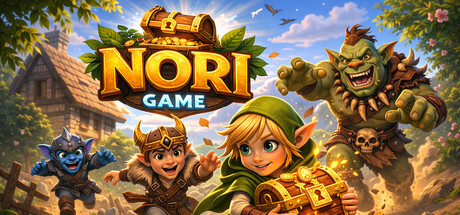
- Play as Nori, Elfy, Gobly, or Orcy
Why you’ll want revenge
One second you’re about to win.
The next, your friend sneaks into your base, steals your chest, and ruins everything.
That’s what makes Nori Game fun:
every match is a mix of strategy, panic, betrayal, and comeback moments.
Play the demo now
The free demo is available now.
Wishlist the full version to get notified at launch and be ready for the 30% launch discount.
👥 Singleplayer & Steam Multiplayer
Play:
- Solo (practice routes, defense, and strategy)
- Multiplayer (1–4 players) via Steam
One player hosts a lobby and invites up to 3 friends.
Fast matches. High replayability.
🏆 Match Flow
- Choose Nori, Elfy, Gobly, or Orcy.
- Spawn at your house with 2 chests.
- Steal 3 more from rivals.
- Deliver them safely.
- First to 5 wins.
👥 Multiplayer — Step by Step
🎮 HOST — How to Host a Game
1️⃣ Launch the Game
- Open Steam
- Go to your Library
- Click Nori
- Click Play
- In the main menu, click Multiplayer
2️⃣ Create a Session
- Click Host
- Enter your player name
- Choose your character:
- Nori
- Elfy
- Gobly
- Orcy
3️⃣ Invite Friends
- Click Invite
- The Steam friends window will open
- Select a friend and send the invite
- After sending the invite, you return to the multiplayer screen
- Click Invite again to invite another friend
(up to 3 total players)
4️⃣ Start the Game
- When everyone is ready, click Play
- The Host enters the game
- Invited friends will join after accepting the invite
👥 CLIENT — How to Join a Game
Option A — Via Steam Invite
- Receive a Steam invite from your friend
- Click Accept
- The game opens (or switches) to the multiplayer overlay
- Make sure Client is selected (default)
- Enter your player name
- Choose your character
- Click Play to connect to the Host
Option B — Auto Connect
- Launch the game through Steam
- Click Multiplayer
- Make sure Client is selected
- Click Play
- The game will automatically search for an active Host lobby and connect
👨👩👧👦 Party Size
- 1 Host
- Up to 3 Clients
- Maximum 4 players total
⚙ Steam Requirements
- All players must own Nori on Steam
- All players must be online on Steam
- The game must be launched through Steam
💡 If the Steam Invite Window Does Not Appear
- Make sure the Steam Overlay is enabled
- Launch the game directly from your Steam Library
- Press Shift + Tab to open the Steam Overlay manually
Preguntas frecuentes
Nori Game cuesta $0.99 en la tienda de Steam (US). El precio más bajo que hemos registrado desde el 22 sept 2026 es $0.99. Steam fija un precio distinto para el juego en 14 regiones — los precios regionales aparecen más arriba.
Nori Game se lanzó el 17 de abril de 2026 de la mano de Nori Game. Lanzado hace 5 meses.
Mínimo: Windows 11, Intel i5 / Ryzen 5, GTX 1060 / RX 580, 8 GB RAM. La tarjeta de requisitos de arriba compara los requisitos mínimos y recomendados de cada plataforma.
Steam indica 1 GB de espacio libre en disco para Nori Game. Los requisitos recomendados piden 5 GB.
El 90,9% de las 11 reseñas de Steam son positivas — Steam las califica como “Positive”.
No — Steam no incluye el español entre los idiomas de Nori Game. En total, Steam indica 1 idioma para Nori Game, 1 con voces.
Sí — según Steam, Nori Game tiene PvP en línea y cooperativo en línea.
Los Steam charts de Nori Game en SteamStatistics muestran los jugadores en vivo y las curvas de 24 horas, 7 días y 30 días, actualizadas al menos cada diez minutos.
En Steam, Nori Game funciona en Windows. No se indica compatibilidad con mando.
Nori Game tiene la clasificación DEJUS 10 e IGRS 13.
Nori Game: precio, fecha de lanzamiento, gráficos y estadísticas

 Puesto #122662