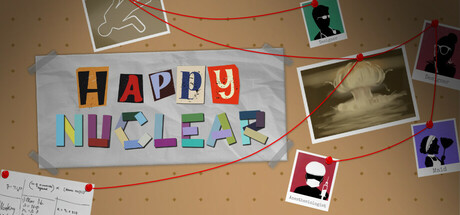
Happy Nuclear is an evidence-based investigation game where players act as detectives to prevent a disaster. They analyze interconnected case information on an investigation board, primarily using old CCTV and access logs. Cases link together at the end, and each replay introduces changes.
Happy Nuclear 上線人數與 Steam 圖表
即時
玩家人數024 小時 —
24 小時峰值玩家0今日最高樣本
30 天峰值玩家0平均 —
歷史峰值玩家0自開始追蹤以來
30 天遊玩時數—估計值
Steam 圖表 · 30 天玩家人數等待取樣中
正在收集每日樣本此遊戲尚未儲存任何每日樣本。累積最初幾天的歷史資料後,曲線就會出現。
24 小時—7 天—趨勢持平
評論18 篇評論
88.9%Positive
16 篇好評2 篇負評
推薦數—評分
媒體
5 張圖片
遊戲資訊
關於此遊戲
遊戲
發行日期2025年6月9日已在 Steam 上架 1 年
開發人員Hi-Develop發行商Hi-Develop類型獨立模擬角色扮演休閒
7成就—
關於此遊戲
玩家數更新於 9月18日 下午05:51 UTC · 商店資料更新於 9月22日 下午12:18 UTC · 來源:SteamWebAPI
最低配備建議配備作業系統Windows 10 and later—處理器2.5Ghz or better—顯示卡Support for OpenGL 3.3—記憶體2 GB RAM4 GB RAM儲存空間1 GB available space—
關於 Happy Nuclear
Happy Nuclear
Happy Nuclear is a challenging puzzle investigation game that tests your thinking skills. Players take on the role of a detective who becomes involved with a terrorist organization planning to destroy the world with nuclear bombs. You must use logic and problem-solving skills to investigate and stop this organization before it's too late.
Gameplay Mechanics
Players need to identify the culprits by piecing together incomplete information to reconstruct a complete picture of events at the crime scene. The game system feels similar to Sudoku, but instead of filling in numbers, you're creating movement patterns of suspects at the crime scene.
In-Game Information Sources
- "CCTV Smart Detection System" - This system provides partial information about who used rooms at specified times.
- "Room Usage Log" - This system provides partial information about how many times a specified suspect entered this room.
Game Rules (Golden Rules)
Happy Nuclear has 2 fundamental rules that apply throughout the game:
- Everyone must move only to adjacent rooms - skipping rooms is not allowed.
- No one can stay in the same room for more than 1 hour.
Hotkeys make gameplay more fun
- Press number keys 1-0 to pull out tokens and tools.
- Press Delete to remove tokens and tools.
- Copy and paste tools with Ctrl+C / Ctrl+V.
- Quick access the applications: Press 'Q' to open logs, 'W' to open CCTV

 排名 #108729