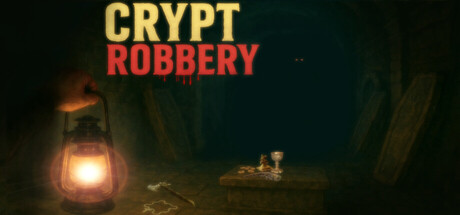
A chilling survival-horror FPS set in a creepy, atmospheric world. Explore a haunted cemetery, descend into a cursed crypt, and face the horrors that lurk below. Hide, fight, survive—do you have what it takes to make it out alive?
Crypt Robbery 上線人數與 Steam 圖表
即時
玩家人數024 小時 —
24 小時峰值玩家0今日最高樣本
30 天峰值玩家0平均 —
歷史峰值玩家0自開始追蹤以來
30 天遊玩時數—估計值
Steam 圖表 · 30 天玩家人數等待取樣中
正在收集每日樣本此遊戲尚未儲存任何每日樣本。累積最初幾天的歷史資料後,曲線就會出現。
24 小時—7 天—趨勢持平
評論16 篇評論
75.0%Mostly Positive
12 篇好評4 篇負評
推薦數—
媒體
15 張圖片
遊戲資訊
關於此遊戲
遊戲
發行日期2025年9月17日已在 Steam 上架 1 年
開發人員IT Games發行商IT Games類型動作冒險
13成就—
關於此遊戲
玩家數更新於 9月18日 下午02:30 UTC · 商店資料更新於 9月22日 下午08:14 UTC · 來源:SteamWebAPI
最低配備建議配備作業系統Windows 10 (64 bit)相同處理器Intel Core 2 Quad, Intel Core 2 Duo e8500Intel Core i7-7700 2.80 GHz顯示卡DirectX 10 graphics card with 1024Mb Video RAMGeForce GTX 1050 Ti / AMD Radeon R7 Series記憶體8 GB RAM相同儲存空間3 GB available space相同
關於 Crypt Robbery
Crypt Robbery blends shooting and horror elements in a gritty, old-school style—crafted by a solo developer.
It’s a challenging experience, so consulting the Steam Community guide is highly recommended.
You can play in two ways:
• Main Story: Dive into the story, with a slow progress, dominated by horror.
• Mini-Games: Face off in challenges like Waves of Evil—a moderately paced survival FPS mode with limited time and scarce resources.
STORY
You play as a man on the edge—burdened by debt, a sick child, and a broken family. Since his wife left, life has fallen into quiet despair. Then, a mysterious letter arrives, signed only 'TG'. One offer: descend into the crypt of Emelin and steal three golden artifacts—in exchange for a life-changing sum of money. With no other choice, he enters the tomb… and the nightmare begins.
KEY FEATURES
- Explore creepy places, collect or combine items, read notes and solve puzzles.
- Learn when to hide and when to fight, as well as how to fight.
- Find your way to survive in a dark and unfriendly environment.
LOCALIZATION
- This game is localized in four languages using the Steam depots method. To play in a different language, open your Steam Library and select Crypt Robbery. Click the gear icon on the right to open Settings, then choose Properties. Under the Language tab, select your preferred language. You may need to restart the Steam application for the changes to take effect

 排名 #101837