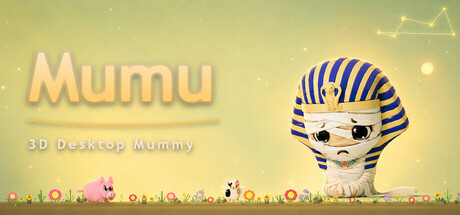
A little mummy, sealed behind your screen, waiting for a place on your desktop. Chat, plant flowers, fish, watch the stars - or tap a white cloud and let Mumu cast a Plum Blossom hexagram, the Eastern divination of the I Ching. Grab it and throw it; it bounces right back. You are never alone.
Jogadores de Mumu: 3D Desktop Mummy e Steam charts
A recolher amostras diáriasAinda não há amostras diárias guardadas para este jogo. A curva aparece assim que estiverem disponíveis os primeiros dias de histórico.
24 horas—7 dias—TendênciaEstável
Análises2 análises
100,0%2 user reviews
2 positivas0 negativas
Recomendações—Pontuação0/9
Últimos 30 diassem dadosProporção negativa0,0%Pos. por neg.—
Multimédia
13 imagens
Detalhes do jogo
Acerca do jogo
Jogo
Data de lançamento2 de setembro de 2026Lançado há 23 dias
MínimosRecomendadosSistemaWindows 10 64-bitWindows 11 64-bitCPUIntel(R)Core(TM) i3Intel(R)Core(TM)i5GPUIntel HD Graphics 620NVIDIA GTX 1050RAM4 GB GB RAM8 GB RAMTamanho da transferência1 GB available spaceigual
Acerca do jogo
Acerca de Mumu: 3D Desktop Mummy
📖 Story
Three thousand years ago, an orphan by the Nile carried more sorrow than any should bear. The Forgotten God of Mercy chose him as a "Soul Keeper." He was granted eternal life — and with it, a blessing and a curse: to touch is to take away another's pain. Those he touches are freed from their grief — but he carries it all alone. Now he is sealed behind the screen, waiting for someone to keep a place for him on their desktop. A glance when you're tired. A word when you're alone. That is why he exists.
You are never alone.
🐾 About the Game
Mumu is a 3D companion desktop pet — raise your own little Mummy and enjoy a heartwarming companionship in the garden, under the stars, and in your chat window.
🎮 What You Can Do
- 🐾 Raise your own little Mummy desktop pet
- 🌸 Plant flowers in the chat garden, and click the calico cat for Kitty Quiz
- 🎣 Piggy Fishing · Creative Gallery · Red Panda Shop trading
- 🔮 Click the white cloud in the garden to cast a Plum Blossom hexagram
- 🖼️ Explore thousands of quiz questions and find hidden surprises
- 🏠 Customize your chat window skin and create your own desktop style
- 🚀 Grab Mumu and fling him across your desktop — real gravity physics, bouncing off the screen edges, spinning back to you
⭐ How to Earn Stardust
Stardust is the one currency in Mumu — almost every interaction earns you a little.
- Daily check-in +5 — at 3 / 7 / 14 / 30 consecutive days, rewards ×1.2 / 1.5 / 2.0 / 3.0
- Text chat +2 (5× per day)
- Voice chat +3 (3× per day)
- Star Clock focus +3 (8× per day, 25 minutes per round)
- Click Mumu +1 (4× per day)
- Mumu speaks up on his own +1 (3× per day)
- Answer a quiz correctly +1 (7× per day)
- Piggy Fishing — reel in ⭐3 / 🌙5 / ☀️10 / 🌌20 (1 per cast)
- Guess someone's drawing right +5; Drawing Challenge scores 1–8 by how close it looks
- Harvest ripe plants in the garden
⚠️ Max 40 stardust per day — take your time, there is always tomorrow.
💸 Where Stardust Goes
- 🌌 Constellations — 70 each, 840 for all 12, lighting up the whole sky
- 🎲 Random unlock — 70 for a constellation / 200 for a star-river color
- 🎣 Fishing — 1 per cast
- 🎨 Reveal answer — 5 for a drawing / 1 for a quiz
- 🌱 Garden plants — Firefly Grass 30 / Moon Orchid 35 / Bamboo 50
- 🐼 Red Panda Shop — Lucky Bait 3 / Magnet 2 / Golden Rod 300
- 🎁 Sending stardust — deducted when you generate a gift code
🗂️ Tray Menu at a Glance
- Chat 💬 — opens the main game window (everything lives here)
- Star River 🌌 — toggle the starfield + 7 color themes
- Recolor 🎨 — 6 skins, each with its own signature head accessory
- Star Map ⭐ — constellation toggle + stardust balance
- Do Not Disturb 🧘 — Auto / Sit / Lie
- Window Size 📐 — 40% / 55% / 70% / 85% / 100%
- Re-center 🎯 — when a second monitor or fullscreen pushes Mumu out of view, pull him back to the middle of your main screen
- Star Clock ✨ — 25 minutes of focus + a 5-minute break
- Sign In ✨ / Language 🌐 / Exit ❌
💡 Tips
- While gaming, watching video, or working — turn off "Star River 🌌" from the tray menu: your desktop stays cleaner and your PC runs smoother. Then use "Do Not Disturb 🧘" to have Mumu sit or lie down.
- Still learning the throw? If Mumu gets stuck following your mouse, just click the sun or the moon and he will settle back onto your desktop.
- Use the mouse wheel to rotate Mumu and look at him from another angle.
✨ Features
- Heartwarming art style + dynamic pet interactions
- Gardening + Fishing + Painting + Quizzes = four kinds of fun
- Plum Blossom divination — ancient wisdom, cast right on your desktop
- 🌌 Hidden constellation and starry sky easter eggs
- Lives on your desktop, ready to interact anytime
🎁 Launch Bonus
On first launch, you'll receive the "Sirius" constellation and 100 stardust — light up your very first golden galaxy ✨
Jogadores atualizados 19/09, 05:27 UTC · dados da loja 22/09, 22:27 UTC · fonte: SteamWebAPI
Mumu: 3D Desktop Mummy custa 6,15€ na loja Steam (DE). O preço mais baixo que registámos desde 22/09/2026 é 6,15€. O Steam define preços diferentes para o jogo em 14 regiões — os preços regionais estão indicados acima.
Mumu lançou Mumu: 3D Desktop Mummy a 2 de setembro de 2026. Lançado há 23 dias.
Mínimos: Windows 10 64-bit, Intel(R)Core(TM) i3, Intel HD Graphics 620, 4 GB GB RAM. O quadro de requisitos acima compara as especificações mínimas e recomendadas para cada plataforma.
O Steam indica 1 GB de espaço livre em disco para Mumu: 3D Desktop Mummy.
100,0% das 2 análises do Steam são positivas — o Steam classifica-as como «2 user reviews».
Não — o Steam não inclui o português (Portugal) entre os idiomas de Mumu: 3D Desktop Mummy. No total, o Steam indica 3 idiomas para Mumu: 3D Desktop Mummy, 3 com áudio completo.
Não — o Steam indica Mumu: 3D Desktop Mummy como um jogo para um jogador.
Os Steam charts de Mumu: 3D Desktop Mummy no SteamStatistics mostram os jogadores em direto e as curvas de 24 horas, 7 dias e 30 dias, atualizadas pelo menos a cada dez minutos.Abrir os Steam charts de Mumu: 3D Desktop Mummy ›
No Steam, Mumu: 3D Desktop Mummy funciona em Windows. Sem suporte para comando indicado.
Mumu: 3D Desktop Mummy tem a classificação DEJUS 14.

 Posição #127812