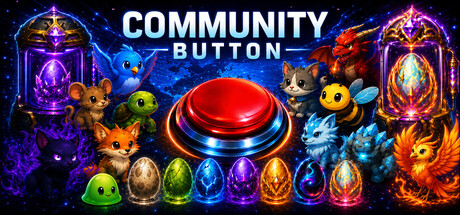
A global idle clicker where every press feeds one shared worldwide counter. Click, upgrade, hatch pets, unlock auto-clickers, chase rare drops, climb leaderboards, and watch the live heatmap light up as the community pushes the number higher. How high can it go? Will you press it… or watch?
Jogadores de Community Button e Steam charts
em direto
Jogadores23-20,9% em 24 h
Pico 24 h33Amostra mais alta de hoje
Pico 30 dias41Méd. 30
Pico histórico41Desde o início da monitorização
Horas jogadas 30 dias3 milEstimado
Steam chart · jogadores 30 dias28 – 32
323028
há 30 diashoje
24 horas-20,9%7 dias—Tendência▼ A descer
Análises57 análises
70,2%Mostly Positive
40 positivas17 negativas
Recomendações—Pontuação6/9
Últimos 30 diassem dadosProporção negativa29,8%Pos. por neg.2,4×
Multimédia
16 imagens
Detalhes do jogo
Acerca do jogo
Jogo
Data de lançamento22 de abril de 2026Lançado há 5 meses
Conforto e áudioCamera ComfortColor AlternativesCustom Volume Controls
Requisitos de sistema
MínimosRecomendadosSistemaWindows 10 64-bitWindows 10/11 64-bitCPUIntel Core i3-6100 / AMD FX-6300Intel Core i5-8400 / AMD Ryzen 3 1200GPUDirectX 11 compatible GPU, equivalent to Intel HD 530 / AMD Radeon R7 250DirectX 11 compatible GPU, equivalent to NVIDIA GTX 750 Ti / AMD Radeon RX 560RAM4 GB RAM8 GB RAMTamanho da transferência3 MB available space2 GB available space
Acerca do jogo
Acerca de Community Button
One Button. One Global Number. Everyone Together.
Community Button is an online idle clicker / incremental game where every player contributes to a single global counter in real time.
Click the button and join a massive multiplayer community—thousands of players working together to push one number higher and higher.
No complex systems. No barriers.
Just you, the button, and a number that never stops growing.
Global Online Experience
- Real-time global counter shared by all players
- Every click contributes to a worldwide total
- Play actively or idle while the number keeps increasing
A simple concept turned into a living online system.
Evolving World & Milestones
As the global number increases, the game evolves.
- Unlock global milestones
- Experience visual transformations
- View a live global click heatmap [coming soon]
- See where players around the world are clicking [coming soon]
The more the community progresses, the more the world changes.
Progression System (Leveling & EXP)
Every click pushes you forward.
- Earn EXP with each press
- Level up with satisfying firework celebrations
- Watch your button grow as your level increases
A simple but rewarding progression system that turns every click into visible progress.
Daily Challenges & Engagement
Stay active with rotating objectives.
- Complete daily challenges for bonus EXP
- Increase efficiency and progression speed
- Compete with other players completing challenges
Leaderboards & Personal Stats
Track your contribution in a global system.
- Monitor your total clicks
- Compete on global leaderboards
- Compare your impact against other players
Simple. Addictive. Multiplayer.
An idle clicker meets global multiplayer experience—driven entirely by players.
Easy to start. Hard to stop.
How high can the global number go?
Click. Contribute. Compete.
Jogadores atualizados 23/09, 05:37 UTC · dados da loja 22/09, 07:25 UTC · fonte: SteamWebAPI
RecursionSplash lançou Community Button a 22 de abril de 2026. Lançado há 5 meses.
Mínimos: Windows 10 64-bit, Intel Core i3-6100 / AMD FX-6300, DirectX 11 compatible GPU, equivalent to Intel HD 530 / AMD Radeon R7 250, 4 GB RAM. O quadro de requisitos acima compara as especificações mínimas e recomendadas para cada plataforma.
O Steam indica 3 MB de espaço livre em disco para Community Button. Os requisitos recomendados pedem 2 GB.
70,2% das 57 análises do Steam são positivas — o Steam classifica-as como «Mostly Positive».
Sim — Community Button está disponível em português (Portugal), com dobragem completa. No total, o Steam indica 30 idiomas para Community Button, 30 com áudio completo.
Sim — segundo o Steam, Community Button tem PvP online e cooperativo online.
Os Steam charts de Community Button no SteamStatistics mostram os jogadores em direto e as curvas de 24 horas, 7 dias e 30 dias, atualizadas pelo menos a cada dez minutos.Abrir os Steam charts de Community Button ›
No Steam, Community Button funciona em Windows. Sem suporte para comando indicado.
Community Button tem a classificação DEJUS 18 e IGRS 18.

 GratuitoPosição #3222