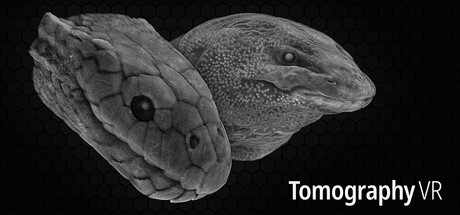
Step into massive 3D images made up of billions of voxels and explore the internal structures of real objects, from animals and human organs to complex materials and devices.
Tomography VRのプレイヤー数とSteamチャート
ライブ
プレイヤー数024時間で—
24時間ピーク0本日の最高サンプル
30日ピーク0平均—
歴代ピーク0追跡開始以来
30日間のプレイ時間—推定値
Steamチャート · 30日間のプレイヤー数サンプル待ち
日次サンプルを収集中履歴はまだ1日分のみです。グラフの表示には2つ以上のサンプルが必要です。
24時間—7日間—トレンド横ばい
レビュー0件のレビュー
—No user reviews
好評0件不評0件
おすすめ数—
メディア
9枚の画像
ゲーム詳細
このゲームについて
ゲーム
リリース日2026年5月4日5か月前にリリース
開発元Tim BurykinパブリッシャーTim Burykinジャンルシミュレーションカジュアル
—実績—DLC3214840
このゲームについて
プレイヤー数更新:9月18日 12:57 UTC · ストアデータ:9月22日 12:08 UTC · ソース:SteamWebAPI
最低推奨OSWindows 10 64-bitWindows 11プロセッサーIntel Core i7-6700 or equivalentIntel Core i7-12700 or betterグラフィックNVIDIA GeForce GTX 1080 or equivalentNVIDIA GeForce RTX 3080 or betterメモリー32 GB RAM同じストレージ90 GB available space同じ
Tomography VRについて
Curated library
The project brings together 36 tomography scans from scientific collections and archives. The datasets are carefully prepared and presented in VR for direct exploration, without the need for complex specialist tools. Sources include Human Organ Atlas, Battery Imaging Library, Astromaterials 3D, Brain Image Library, and 3D Cipher.
Detailed scans
The internal structure of each object was captured as billions of voxels using advanced imaging equipment, including synchrotrons. Larger scans contain 96 times the detail of a routine hospital CT scan. Your computer needs 32 GB of memory to view them in full.
Easy exploration
The space around you stays clear and you can peel away tissues and materials simply by walking through them, as shown in the trailer. You can also move, rotate, and resize the object while holding the trigger buttons.
X-ray vision simulator
With every frame the app sends millions of rays through the volume and accumulates their signals in real time. Push the thumbsticks up or down to adjust transparency and reveal deeper structures inside the object.
Adaptive resolution
The app maintains stable performance as scene complexity changes. It can run smoothly even at high refresh rates (including 144 Hz) on capable hardware. Not sure how your PC will do? Try the free demo.
Minimal image processing
What you see is the raw scan data: 16-bit grayscale voxels with minor brightness adjustments and the background removed. JPEG 2000 encoder reduces storage requirements and keeps any potential artifacts imperceptible.
Controls
- Hold trigger buttons: move, rotate, and scale the object
- Thumbsticks up/down: change object transparency
- Trackpads: scale the object (Valve Index controllers only)
- Hold B / Y: clear more space around you when inside the object
- Hold A / X: show the scan library
- Grip / squeeze input: unused
Quick actions
- 1:1 Real size
- ⟳ Reset view
- ⧉ Copy link
- ⏻ Exit app

 順位 #98346